Benchmark Technomate MaxPro Ultra 75” Smart Classroom Setup | Interactive Panel, Camera & Sennheiser Mic by Smart Infovision
Benchmark Technomate MaxPro Ultra 75 Inch Smart Teaching & Recording Setup A Complete Professional Digital Classroom Solution by Smart Infovision The education industry is undergoing a major digital transformation. T...
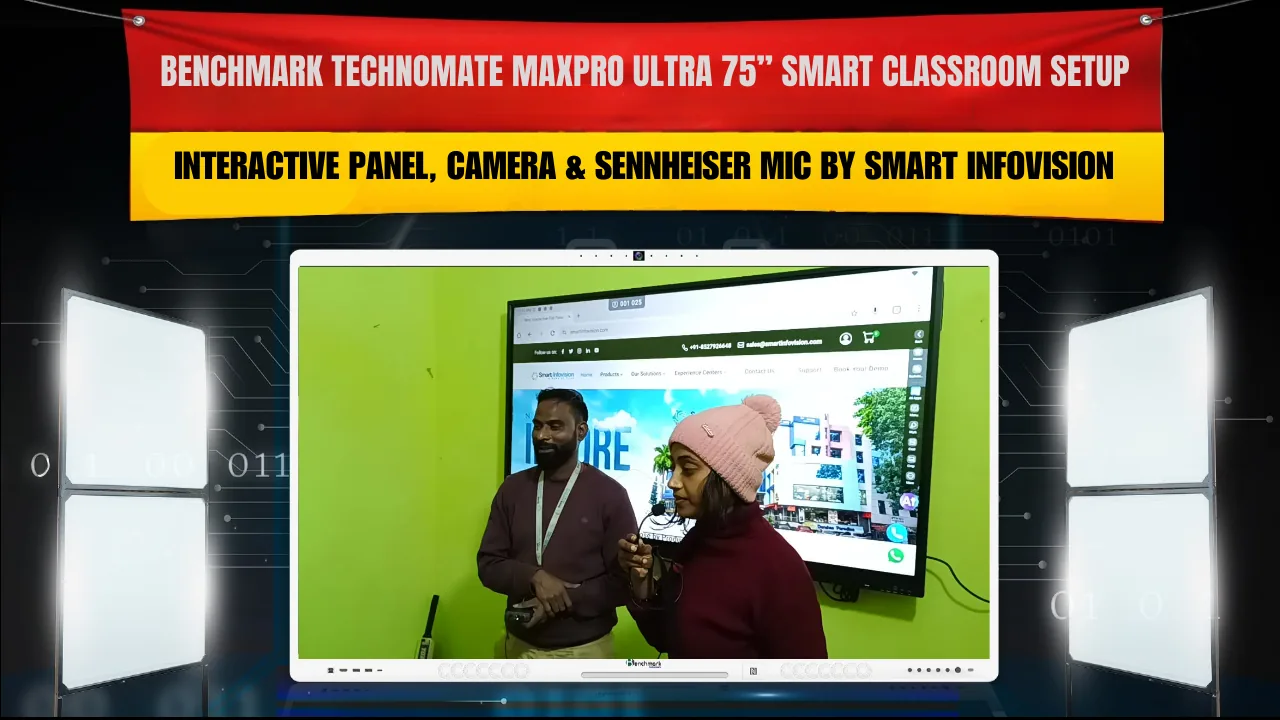

Benchmark Technomate MaxPro Ultra 75 Inch Smart Teaching & Recording Setup A Complete Professional Digital Classroom Solution by Smart Infovision The education industry is undergoing a major digital transformation. Traditional chalk-and-board teaching methods are rapidly being replaced by smart classrooms, hybrid learning environments, and professional lecture recording systems. Schools, coaching institutes, universities, and independent educators now require technology that supports both in-person and online learning simultaneously. A powerful and future-ready solution designed for this modern teaching ecosystem includes: Benchmark Technomate MaxPro Ultra 75” Interactive Flat Panel + Benchmark Technomate Professional Camera + 24” Monitor + Sennheiser Microphone This integrated setup is not just for classroom teaching. It is a complete teaching, recording, and live broadcasting solution that helps educators create high-quality content, conduct live classes, and build digital courses. The authorized main dealer and solution provider for this professional system is Smart Infovision, known for end-to-end installation, training, and technical support.
The New Standard in Digital Teaching Modern students learn better through visual explanations, interactive content, and recorded resources they can revisit. Static boards limit teaching effectiveness, while digital systems enable:
Live digital writing Multimedia-based explanations Screen sharing Lecture recording Online class integration
The Benchmark Technomate MaxPro Ultra solution combines all these capabilities into a single professional teaching ecosystem.
Benchmark Technomate MaxPro Ultra 75” Interactive Flat Panel The core of this setup is the 75-inch interactive flat panel, designed to deliver a powerful classroom presence and advanced digital teaching features. Key Specifications
Feature Details
Display Size 75 Inch
Resolution 4K Ultra HD
Touch Technology Multi-touch Interactive System
Operating System Built-in Android with OPS Support
Writing Experience Smooth, Natural Digital Writing
Connectivity HDMI, USB, LAN, WiFi
Benefits for Educators The large 75-inch display ensures that students at the back of the classroom can clearly see diagrams, equations, and explanations. Teachers can write digitally, switch between apps, display videos, and open documents seamlessly. This panel functions as a digital board, smart television, and computer system all in one. It reduces dependency on multiple devices and creates a smooth teaching workflow.
Benchmark Technomate Professional Teaching Camera High-quality video is essential for online teaching and recorded lectures. Standard webcams often fail to deliver professional clarity. The Benchmark Technomate professional camera is designed specifically for classroom and studio teaching. Camera Features
Feature Benefit
High-Resolution Output Clear and sharp lecture videos
Wide-Angle Coverage Captures both teacher and board
Auto Focus Maintains sharp image automatically
Smooth Frame Output Reduces lag during live sessions
This camera ensures that both the teacher and the digital board remain clearly visible during live classes and recordings. The video quality is suitable for professional platforms such as YouTube, learning portals, and paid course platforms.
24-Inch Monitor for Teacher Control A professional digital teaching setup requires a separate control screen. The 24-inch monitor allows teachers to manage their content without disrupting what students see on the main panel. Uses of the Monitor
Controlling presentations Monitoring live class chat Managing recording software Viewing online meeting platforms
This creates a dual-screen experience where students focus on the lesson while the teacher handles technical controls smoothly.
Sennheiser Microphone for Professional Audio Audio clarity is just as important as video quality. Poor audio can ruin an otherwise perfect lecture. Sennheiser microphones are known worldwide for their professional-grade sound performance. Audio Advantages
Clear and natural voice capture Reduced background noise Minimal echo and distortion Comfortable for long teaching sessions
This ensures students can hear every explanation clearly during both live sessions and recorded lectures.
Who Is This Setup Ideal For?
User Type How This Setup Helps
Coaching Institutes Record and broadcast batch classes
School Teachers Conduct smart classroom lessons
Online Educators Create YouTube and course content
Corporate Trainers Deliver professional training sessions
EdTech Creators Build studio-style learning programs
Teaching Plus Recording Equals Expanded Opportunities This system enables educators to go beyond traditional classroom teaching. A single lecture can be recorded once and reused multiple times for different batches or online courses.
Digital course creation Subscription-based learning platforms Recorded backup lectures Wider student reach beyond geographical limits
The setup transforms a teacher into a content creator and digital educator.
Smart Infovision – Authorized Main Dealer and Solution Provider Smart Infovision provides complete implementation and support services to ensure educators can use the system effectively. Services Provided by Smart Infovision
Site inspection and consultation Professional installation Wiring and device integration Software setup and configuration Teacher training sessions After-sales technical support
Turning Classrooms into Professional Teaching Studios
Traditional Classroom Smart Digital Classroom
Chalk dust and manual writing Clean digital writing
Board space limitations Unlimited writing canvas
No recording facility Full HD lecture recording
Local audience only Global student reach
Supporting Hybrid Learning Models
Recorded lecture access Live doubt-solving sessions Digital study materials Online revision classes
Installation Process Overview
Site inspection and planning Wall mounting of the interactive panel Camera positioning for optimal angle Microphone setup Monitor connection Software configuration Training and demonstration
Durability and Maintenance The hardware used in this setup is designed for long-term professional use. With basic care such as regular cleaning and proper power management, the system can operate smoothly for years.
Read More
Professional 4K PTZ Camera Setup Interactive Flat Panel for Classrooms Maxhub Installation Case Study
Frequently Asked Questions (FAQs) 1. Is this setup suitable for small classrooms? Yes, the 75-inch panel works well in medium to large classrooms. Proper wall space is required for installation. 2. Can teachers operate this system without technical knowledge? Yes, Smart Infovision provides training that makes it easy for teachers to use the system confidently. 3. Can lectures be recorded for YouTube or online courses? Yes, the professional camera and microphone ensure high-quality video and audio suitable for online platforms. 4. Is this setup compatible with live online classes? Yes, it works seamlessly with platforms like Zoom and Google Meet. 5. Are there microphone options available? Yes, both wired and wireless Sennheiser microphone options can be provided based on requirements. 6. Can the system be upgraded in the future? Yes, the panel supports OPS computers and additional devices for future upgrades. 7. How long does installation take? Professional installation is typically completed within one working day. 8. Is this solution suitable for schools? Yes, it is ideal for schools, colleges, coaching institutes, and training centers.
Conclusion The Benchmark Technomate MaxPro Ultra 75” Interactive Flat Panel, combined with a professional teaching camera, 24-inch monitor, and Sennheiser microphone, creates a complete digital teaching and recording ecosystem. This is a comprehensive solution for teaching, recording, and live broadcasting. It helps educators modernize their classrooms, expand their reach, and increase their professional opportunities. Smart Infovision delivers this solution with expert installation, training, and support, ensuring a smooth transition into the world of smart education. For educators looking to transform their classroom into a professional digital teaching studio, this setup is a powerful and future-ready investment.